Tutorial: a design plugin mywant-gui
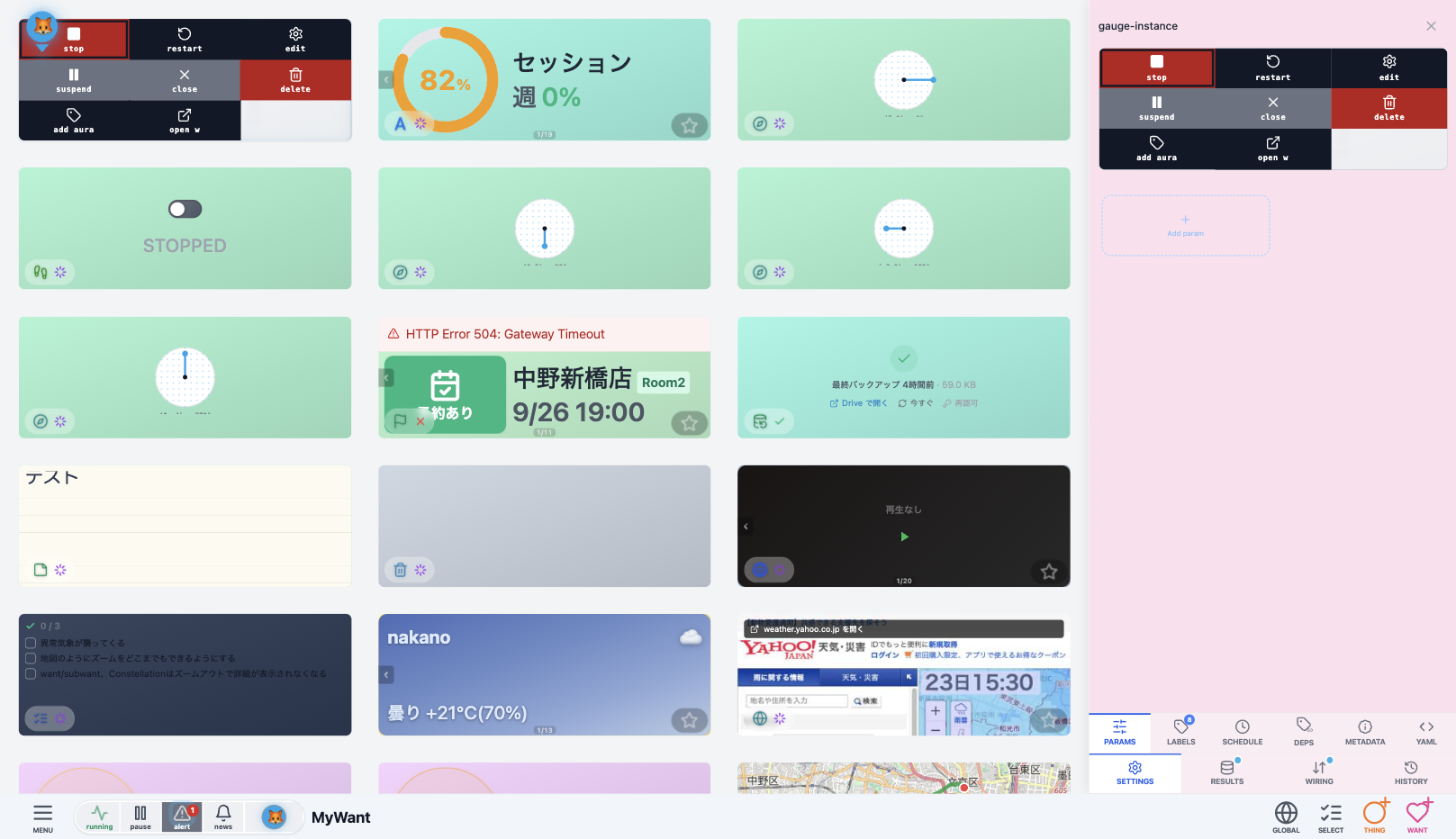
This page follows one overlay design from an empty directory to something anyone can install with one command. The design is Mono — ink and paper, red only for danger — published as onelittlenightmusic/mywant-design-mono.
Two ways to ship a design
A design reaches the GUI one of two ways. Both register the same OverlayDesign; they differ in how they are installed.
| Design plugin (this page) | Runtime extension (the flat tutorial) | |
|---|---|---|
| Installed with | mywant custom install owner/repo | copying a directory into ~/.mywant/gui-extensions/ |
| Files | one plugin.js (or .ts / .jsx / .tsx) | gui-extension.json, a script, stylesheets |
| Loaded | as a module, after the GUI starts | as a script, before the first paint |
| Works on a remote server | yes — --context installs onto the server | only where the GUI runs |
| Needs the canvas (mywant-guiex) | no | no |
A design plugin is the easier one to publish and install; use a runtime extension when a design must be there before the first paint, or comes with more than a design.
1. Develop
A design plugin is one file at the root of its directory, plugin.js. The GUI imports it as a module; it registers the design and brings the stylesheet its class names need.
mywant-design-mono/
├── plugin.js        registers the design, injects its stylesheet
├── README.md
└── screenshots/
The stylesheet
The app's Tailwind build contains only the classes the app uses, so a design defines its own (mwm- here) and puts them into the page itself:
const CSS = `
.mwm-frame { background:#ffffff; border:2px solid #111827; border-radius:6px; overflow:hidden; box-shadow:4px 4px 0 #111827; }
.mwm-ink { background:#111827; }
.mwm-paper { background:#6b7280; }
.mwm-danger { background:#b91c1c; }
.mwm-label { color:#ffffff; font:700 10px/1 ui-monospace,SFMono-Regular,Menlo,monospace; text-transform:lowercase; }
/* … */
`;

if (!document.getElementById('mwm-overlay-mono')) {
  const style = document.createElement('style');
  style.id = 'mwm-overlay-mono';
  style.textContent = CSS;
  document.head.appendChild(style);
}
The design
Registered through window.__mywant.registerOverlayDesign, which the app sets up before it loads any plugin. Every tone gets a class — Mono says what an action means with ink or grey, and keeps red for danger — and portable carries the same look as values for the browser extension and the bookmarklet, which draw on pages where this stylesheet is not loaded:
window.__mywant.registerOverlayDesign({
  id: 'mono',
  name: 'Mono',
  tones: {
    confirm: 'mwm-ink', cancel: 'mwm-paper', danger: 'mwm-danger', primary: 'mwm-ink',
    caution: 'mwm-paper', info: 'mwm-ink', accent: 'mwm-ink', special: 'mwm-ink', muted: 'mwm-paper',
  },
  frame: 'mwm-frame',
  label: 'mwm-label',
  // … disabled, cell, cellInteractive, cellOff, focus, header, surface,
  //   tailColor, backdrop, input, enterAnimation, cellEnterAnimation
  portable: {
    tones: { confirm: '#111827', cancel: '#6b7280', danger: '#b91c1c', /* … */ },
    surface: '#ffffff', outline: '#111827', ink: '#111827',
    radius: 6, cellRadius: 0, cellGap: 2,
    labelTransform: 'lowercase', labelWeight: 700, labelSize: 10,
    backdrop: 'rgba(255,255,255,.75)',
  },
});
The whole file is in the repository: plugin.js. Fields left out of a design are taken from the built-in Grid.
2. Test locally
Install the directory you are working in:
mywant custom install ./mywant-design-monoInstalled custom mywant-design-mono from /…/mywant-design-mono
kinds: designplugin.js at the root is what makes it a design custom: it is copied to ~/.mywant/customs/mywant-design-mono and linked into ~/.mywant/design-plugin/, where the server lists and serves it:
curl -s localhost:8081/api/v1/design-plugins
# ["/api/v1/design-plugins/mywant-design-mono.js"]
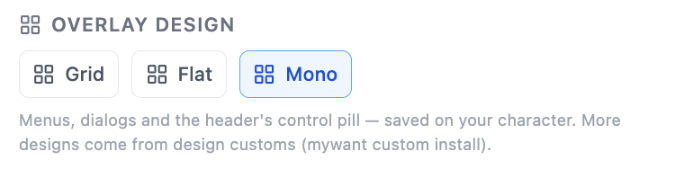
Reload the GUI, open Settings → Overlay Design, and the design is there:
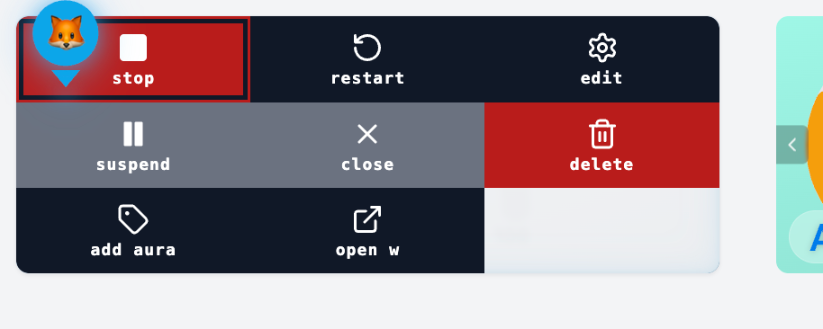
Choose it and open a card's actions (Shift+Enter, or a long press), a yes/no, a bubble on the board, and look at the header's control pill:
| A card's actions | The header's control pill |
|---|---|
 |  |
After editing plugin.js, install it again over the old copy:
mywant custom install ./mywant-design-mono --forceWithout the canvas
A design custom needs only the app. To check that, run a second GUI with no extensions at all — MYWANT_GUI_EXTENSIONS_DIR pointed at an empty directory replaces every place extensions are looked for:
mkdir -p /tmp/no-extensions
MYWANT_GUI_EXTENSIONS_DIR=/tmp/no-extensions mywant gui start --port 8082
curl -s localhost:8082/api/v1/gui-extensions    # []
Mono is in Settings there too. Without a character chosen in that browser the choice is kept in the browser, and Settings says so under the buttons. Choose one on the Characters page (Use as my CursorMan) and the choice is saved on that character instead — the Characters page is part of the app, so this works without the canvas as well.
3. Publish
A design custom is a repository whose root has the plugin. Commit it, create the repository, and tag a version — mywant custom list shows the tag:
cd mywant-design-mono
git init -b main
git add -A
git commit -m "feat: Mono, a monochrome overlay design for MyWant"
gh repo create onelittlenightmusic/mywant-design-mono --public --source . --remote origin --push
git tag -a v1.0.0 -m v1.0.0
git push origin v1.0.0
Put screenshots in the README: a design is chosen by how it looks.
4. Install
Anyone with MyWant installs it by owner/repo:
mywant custom install onelittlenightmusic/mywant-design-mono
mywant custom list
mywant-design-mono v1.0.0 design https://github.com/onelittlenightmusic/mywant-design-mono.git ok— or by bare name, mywant custom install mywant-design-mono, for a repository under the default owner. Then Settings → Overlay Design → Mono. The choice is saved on the character, with the portable values, so the browser extension and the bookmarklet draw their menus and pill in Mono on other pages as well.
On a remote server, --context installs it onto that server's machine, and every browser using that server gets it:
mywant --context fly custom install onelittlenightmusic/mywant-design-monoTo remove it:
mywant custom uninstall mywant-design-monoA choice naming a design that is no longer installed falls back to Grid.
The picker on the Characters page
A character's Display tab (Characters → a character → Display) lists the same designs under Overlay Design. It and Settings save the same choice. With the canvas installed mywant-guiex, the tab also has Canvas Design beside it.
When it does not show up
- Not in the list — reload the GUI: plugins are loaded once, at start. Check
curl localhost:8081/api/v1/design-pluginslists it. - Listed but not registered — the browser console shows the error the plugin threw while loading; one failing plugin does not stop the others.
- Wrong kind —
plugin.js(or.ts,.jsx,.tsx) must be at the repository's root;mywant custom install --kind designsays so explicitly. - The extension's menus stay grid — choose the design again after upgrading: the portable values are stored when a design is chosen.